Beyond the Click: What Heatmaps & Click Tracking Reveal About Your Users
- Arjun S S
- Jul 7, 2025
- 3 min read
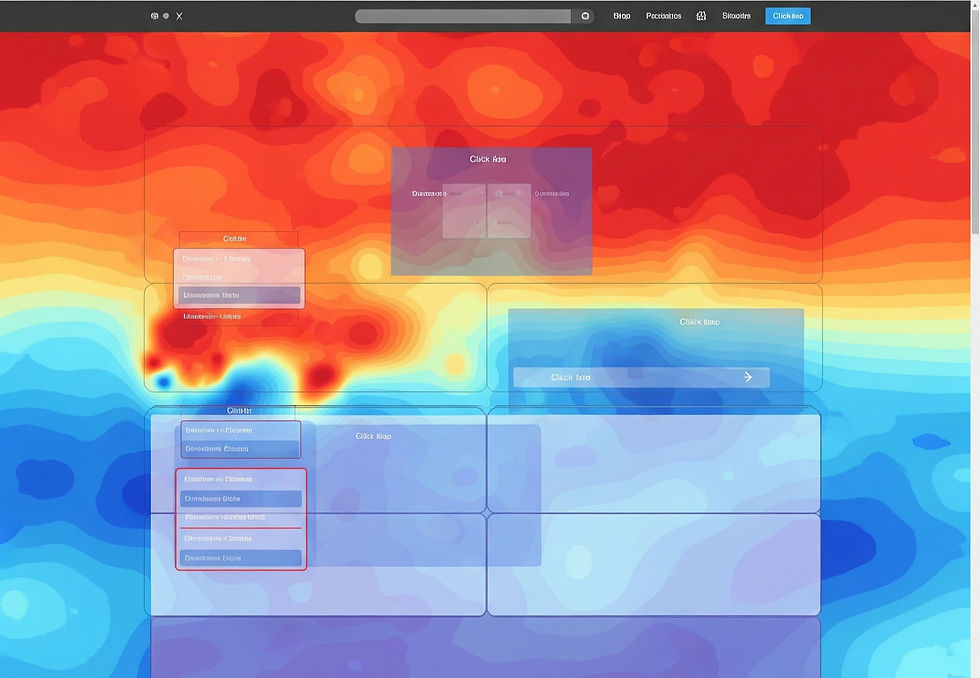
Imagine watching someone browse your website or app. Not just what they click, but where their eyes go, what they ignore, and what they hover over before making a decision. Sounds like superpowers, right? Well, in the world of digital design and marketing, we have tools that get pretty close to that: Heatmaps and Click Tracking.
These aren't just fancy tech terms, they're your secret weapons for understanding what users are actually doing on your site, not just what you think they're doing. They're like having a silent, invisible observer taking notes on every single visitor.
What's the Big Deal with Heatmaps?
Think of a weather map that shows hot and cold spots. A heatmap for your website works similarly. It's a visual representation of user activity on a webpage, using colors to indicate popular (hotter colors like red, orange) and unpopular (cooler colors like blue, green) areas.
There are a few main types of heatmaps:
Click Maps: This is perhaps the most common. It shows you exactly where users are clicking on your page. Are they clicking on that prominent "Buy Now" button? Or are they trying to click on an image that looks like a button but isn't? Click maps reveal if your calls to action are truly engaging.
Scroll Maps: Ever wondered how far down your page people actually scroll? A scroll map shows you just that. The "hotter" areas at the top mean more people saw that content, while the "cooler" areas further down indicate content that fewer people bothered to scroll to. This is huge for understanding if your important content is being seen.
Move/Hover Maps: These are even more detailed! They track where users move their mouse pointers (or their fingers on touchscreens). Often, where a mouse hovers can indicate where a user is looking or thinking about clicking, even if they don't ultimately click there. It's like seeing their thought process unfold.
Why Are These "Silent Observers" So Powerful?
See What Users Actually Do, Not What They Say: People might tell you they love your navigation, but a click map might show they're struggling to find things. Actions speak louder than words!
Uncover Hidden Gems (and Problems!): You might realize users are repeatedly clicking on a non-clickable image, telling you it should be a link. Or you might find that a crucial piece of information is sitting in a "cold" zone on your scroll map, meaning no one is seeing it.
Optimize Your Layout: Heatmaps help you understand if your most important elements (like product images, headlines, or contact forms) are grabbing attention. If they're in a "cold" zone, you know you need to move them.
Improve Navigation: Are users getting lost? Are they avoiding certain menu items? Click maps on navigation elements can show you exactly where the confusion lies.
Make Data-Driven Decisions: Instead of guessing, heatmaps provide real visual evidence to back up your design changes. You can see the impact of your tweaks.
Boost Conversions: By making your site more intuitive and ensuring key information is seen and interacted with, you directly improve the chances of users completing your desired actions (buying, signing up, etc.).
How Do You Get Started?
You don't need to be a tech wizard. Many user experience (UX) and analytics platforms offer heatmap and click tracking tools. Popular options include Hotjar, Crazy Egg, Microsoft Clarity (which is free!), and various features within Google Analytics (though often less visual for heatmaps).
Setting them up usually involves adding a small piece of code to your website, and then the tool starts collecting data in the background. After some time, you can log in and view your heatmaps!
Your Website's Story, Told in Color
Think of heatmaps and click tracking as the detailed story of your website or app, told through colors and clicks. They remove the guesswork and show you, visually, how users are experiencing your design.
By listening to these "silent observers" and understanding the patterns in their clicks and movements, you can make smarter, more impactful design decisions that lead to a better experience for your users and better results for you. So go ahead, start tracking, and let your users show you the way!


Comments